Self-hosted Unified Namespace (UNS) + open SDKs

Keep every object
in context.

UNS OpenHub is a self-hosted Unified Namespace (UNS) Runtime with open TypeScript and Python SDKs. Bring live values, events, history, metadata, and relationships into one model while stable identities survive moves, renames, and system changes.

  • Self-hosteddata under your control
  • Stable identityacross system changes
  • Open SDKsTypeScript + Python

Semantic context layer

SYSSource systemsSignals + records
SDKApps + flowsEvents + metadata
OpenHub contextIdentity · namespace · relations
APIData accessLive + historical
OPSOperationsAutomation + lifecycle
IdentifyStable object identity
NavigateNamespace placement
RelateGraph + lineage
ModelInstallable domain packs
OperateHealth + handover
DiscoverSchema + data catalog

UNS OpenHub Runtime

Run the stack on your infrastructure.

Install the integrated controller and selected local services with one guided flow. Operational data can remain on infrastructure you control, without a required managed-cloud data plane.

RUNPrivate preview
uns-openhub-runtime

UNS OpenHub Runtime

Use the guided installer to configure the controller and selected local services, then run the exact start command it prints.

Public installer and SDKs. Private integrated preview.

Watch the first local installBootstrap, start the Runtime, and finish setup in the browser.
Already have access?
curl -fsSL \
  https://github.com/uns-openhub/uns-openhub-bootstrap/releases/latest/download/install.sh |
  sh
"$HOME/.local/bin/uns-bootstrap" install

Requires Docker or Podman with Compose. During the private preview, the bootstrap asks for a read-only GitHub token, does not store it, verifies the matching download, and starts the Runtime configuration wizard.

Need access?

Request Runtime access

Join the list and we will contact you about access to the private UNS OpenHub Runtime preview.

We’ll use your email only to contact you when Runtime access is available. No marketing or sharing; we’ll delete it after contacting you.

Inside the Runtime

Explore the Runtime.

A seeded rolling-mill demo shows how the Runtime discovers a namespace, presents live values, and keeps curated meaning beside the data. Manufacturing is one example built on the same core.

01Hierarchy

Discover the hierarchy

Browse equipment, material, and signals in one shared namespace.

UNS OpenHub namespace tree showing a fictional steel plant, its equipment, material, and measurement attributes
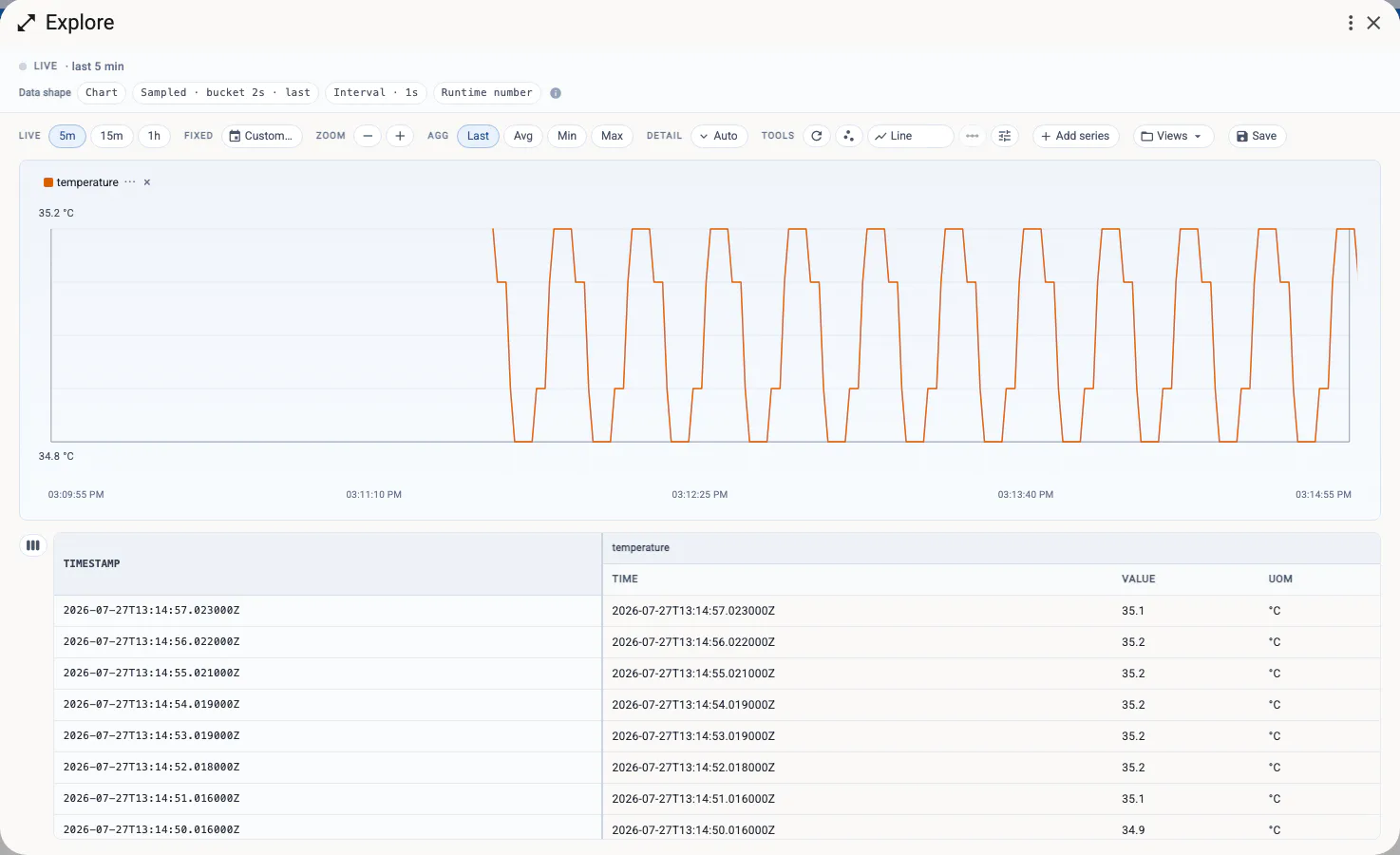
02Measurements

Inspect live values

Follow live measurements and inspect timestamped values.

UNS OpenHub Explore view charting a live temperature measurement with its timestamped values
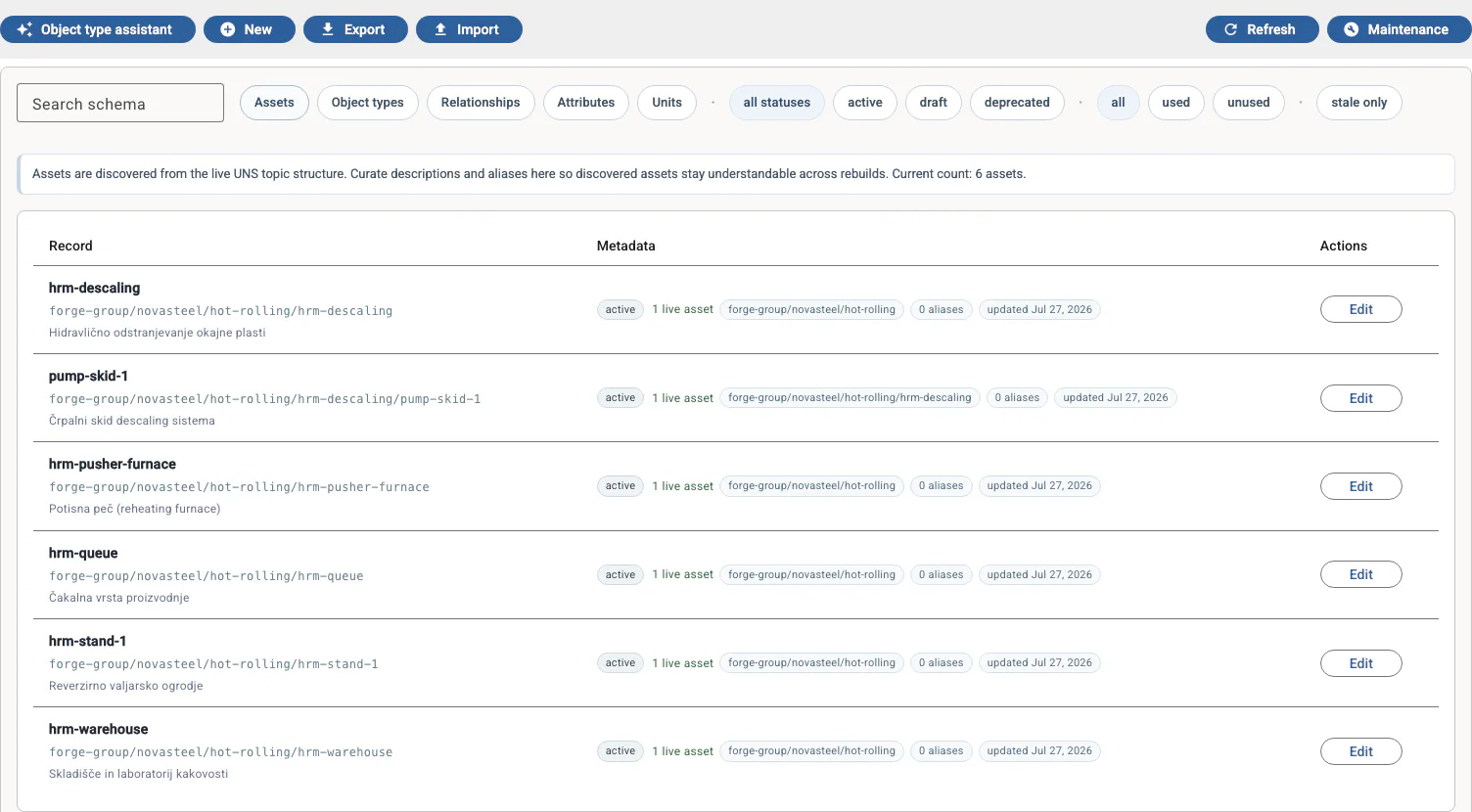
03Metadata

Curate asset metadata

Review discovered assets and curate their descriptions and metadata.

UNS OpenHub Schema view listing discovered assets with status, namespace paths, and curated metadata

These illustrative views use a fictional hot-rolling process. The video guides show the more recent workflow.

Watch the video guides

Governed context

Identity stays stable
as systems change.

UNS OpenHub separates stable identity from current placement, then connects objects with typed, time-aware relationships. The same core can carry the vocabulary of different domains.

01 · Identify

Know what it is

Keep one identity while names, paths, and source systems change.

02 · Navigate

See where it is now

Use the namespace to browse current operational context.

03 · Relate

Preserve how it changed

Keep typed relationships, provenance, and history beside the data.

Manufacturing and Gaming are current examples of domain vocabulary built on the same generic core.

How the platform works

Latest article

How to start with a Unified Namespace: follow one signal

Follow one furnace measurement from its source to live consumers, historical queries, and a prepared data service. A practical first step with a Unified Namespace.

Read the article
One furnace measurement serving live MQTT consumers, data APIs, SQL analysis, and a prepared service discoverable in Data Catalog

Integration paths

Build the integration,
not just the connection.

Configure common automations in the Runtime, or turn a custom requirement into a validated service bundle. Existing edge tools can keep doing the specialist work they already do well.

Private preview

Configure

Create Triggers for event rules and Captures for stateful, windowed data logging inside the Runtime.

Private preview

Generate

Use the in-app Agent to turn confirmed UNS paths, data shapes, and requirements into a validated service bundle.

Public + developing

Connect

Build with TypeScript, Python, or Node-RED, and connect specialist systems through developing providers.

The bundle carries the agreed contract into a project that a coding agent can continue from.

Explore integrations

Start locally

Give every object
a shared context.